PeaceMindAI
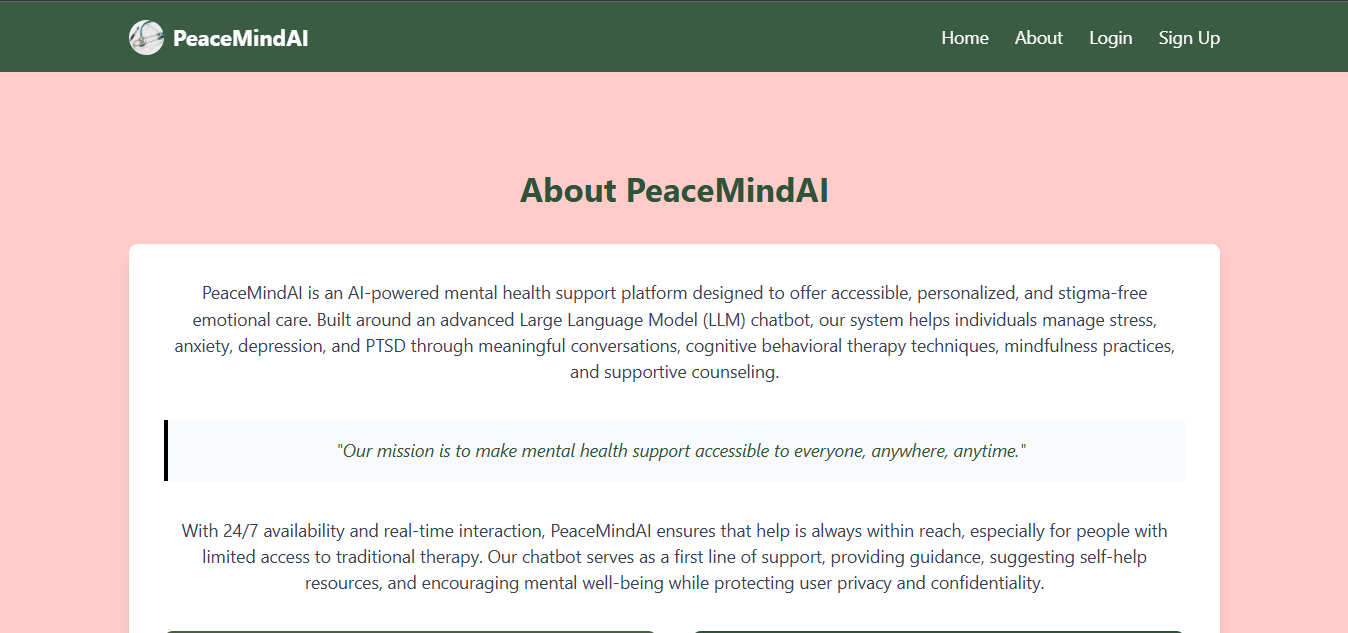
PeaceMindAI is an AI-powered mental health support platform designed to offer accessible, personalized, and stigma-free emotional care. Built around an advanced Large Language Model (LLM) chatbot, the system helps individuals manage stress, anxiety, depression, and PTSD through meaningful conversations, cognitive behavioral therapy techniques, mindfulness practices, and supportive counseling.
Table of Contents
- PeaceMindAI
Key Features
- 24/7 AI-Powered Support: Round-the-clock access to conversational mental health support
- Evidence-Based Therapy: Implements principles from Cognitive Behavioral Therapy (CBT) and mindfulness-based techniques
- Personalized Care: Tailored responses based on user interaction history and specific mental health needs
- Multi-Modal Support: Combines chat interface with curated resources and guided exercises
- Privacy-Focused: Ensures user confidentiality and secure data handling
- User-Friendly Interface: Clean, intuitive web interface built with modern design principles
Technologies Used
- Backend: Django 5.2, Django Channels (WebSocket support)
- Frontend: TailwindCSS, HTML5
- AI/ML: LangChain, HuggingFace Models
- Database: SQLite, ChromaDB (Vector Database)
- Message Handling: WebSocket for real-time chat
- Development Tools: Python 3.12+
Purpose
The platform aims to address the growing need for accessible mental health support by providing:
- Immediate emotional support without wait times
- Evidence-based therapeutic techniques
- A stigma-free environment for mental health discussions
- Accessible care regardless of location or time
- Support for common mental health challenges
Setup and Installation
Prerequisites
- Python 3.12 or higher
- Git
- pip (Python package installer)
- virtualenv (recommended)
- Node.js and npm (for frontend development)
- Database: SQLite (default) or PostgreSQL
- A Groq API key for LLM functionality
Installation Steps
- Clone the repository:
git clone https://github.com/yourusername/PeaceMindAI.git
cd PeaceMindAI
- Create and activate a virtual environment:
python -m venv venv
# On Windows
venv\Scripts\activate
# On Unix or MacOS
source venv/bin/activate
- Install required packages:
pip install -r requirements.txt
- Install frontend dependencies:
cd peacemindai/theme/static_src
npm install
npm run build
- Initialize the database:
python manage.py migrate
- Run the development server:
python manage.py runserver
The application will be available at http://localhost:8000
Running with WebSocket Support
For WebSocket support (required for chat functionality), use Daphne:
daphne -b 127.0.0.1 -p 8000 peacemindai.asgi:application
Environment Variables
Create a .env file in the project root with the following variables:
# Required
API_KEY=your_groq_api_key
SECRET_KEY=your_django_secret_key
DEBUG=True  # Set to False in production

# Optional
DATABASE_URL=sqlite:///db.sqlite3  # Default SQLite database
ALLOWED_HOSTS=localhost,127.0.0.1
CSRF_TRUSTED_ORIGINS=http://localhost:8000
Development Commands
- Initialize the database:
python manage.py makemigrations
python manage.py migrate
- Create a superuser (admin):
python manage.py createsuperuser
- Run the development server:
python manage.py runserver
- Run with WebSocket support (required for chat):
daphne -b 127.0.0.1 -p 8000 peacemindai.asgi:application
- Run tests:
python manage.py test
The application will be available at:
- Main application: http://localhost:8000
- Admin interface: http://localhost:8000/admin
Project Structure
The project is organized as follows:
PeaceMindAI/
├── README.md               # Project documentation
├── requirements.txt        # Python dependencies
├── peacemindai/            # Main project folder
│   ├── db.sqlite3          # SQLite database (default)
│   ├── manage.py           # Django management script
│   ├── chat/               # Chat application
│   │   ├── consumers.py    # WebSocket consumers
│   │   ├── models.py       # Chat data models
│   │   ├── routing.py      # WebSocket routing
│   │   ├── utils.py        # Utility functions
│   │   ├── views.py        # Chat views
│   │   ├── data_source/    # Data sources for AI
│   │   │   ├── Huggingface-mental-health-data.json
│   │   │   ├── Intents.json
│   │   │   └── mental_health_Document.pdf
│   │   ├── templates/      # Chat-specific templates
│   │   └── chroma_db/      # Vector database for AI
│   ├── main_app/           # Core application
│   │   ├── models.py       # Core data models
│   │   ├── views.py        # Main views
│   │   ├── templates/      # Core templates
│   │   └── migrations/     # Database migrations
│   ├── users/              # User management
│   │   ├── forms.py        # User forms
│   │   ├── models.py       # User models
│   │   ├── templates/      # User-specific templates
│   │   └── migrations/     # Database migrations
│   ├── templates/          # Global templates
│   ├── static/             # Static files
│   │   └── images/         # Image assets
│   ├── theme/              # TailwindCSS theme
│   │   ├── static_src/     # Source files for TailwindCSS
│   │   └── templates/      # Theme templates
│   ├── settings.py         # Django settings
│   ├── urls.py             # URL configuration
│   ├── asgi.py             # ASGI configuration
│   └── wsgi.py             # WSGI configuration
Workflow Diagram
The following diagram illustrates the workflow of the PeaceMindAI system:
These visuals provide a clearer understanding of the project structure and workflow. For more details, refer to the respective sections in this documentation.
AI and Chat System
Chat Architecture
The chat system uses a real-time WebSocket connection to enable instant communication between users and the AI. Key components include:
- WebSocket Consumer: Handles real-time message processing and routing
- Vector Database: ChromaDB for efficient storage and retrieval of conversational context
- LangChain Integration: Orchestrates the interaction between different AI components
- Response Generation: Uses Groq’s LLM API for generating contextually appropriate responses
Training Data
The system is trained on carefully curated mental health datasets:
- Mental health conversations and responses
- Therapeutic techniques and interventions
- Common mental health concerns and appropriate responses
- Evidence-based coping strategies
AI Capabilities
- Context Awareness: Maintains conversation context for more meaningful interactions
- Pattern Recognition: Identifies emotional patterns and potential mental health concerns
- Therapeutic Techniques: Implements CBT, mindfulness, and other evidence-based approaches
- Resource Recommendations: Suggests relevant self-help resources and coping strategies
- Crisis Detection: Identifies potential crisis situations and provides appropriate responses
Data Privacy and Security
- All conversations are encrypted and securely stored
- Personal information is anonymized
- No conversation data is used for training without explicit consent
- Regular data purging policies in place
- Compliance with mental health data protection standards
User Interface and Features
Home Page
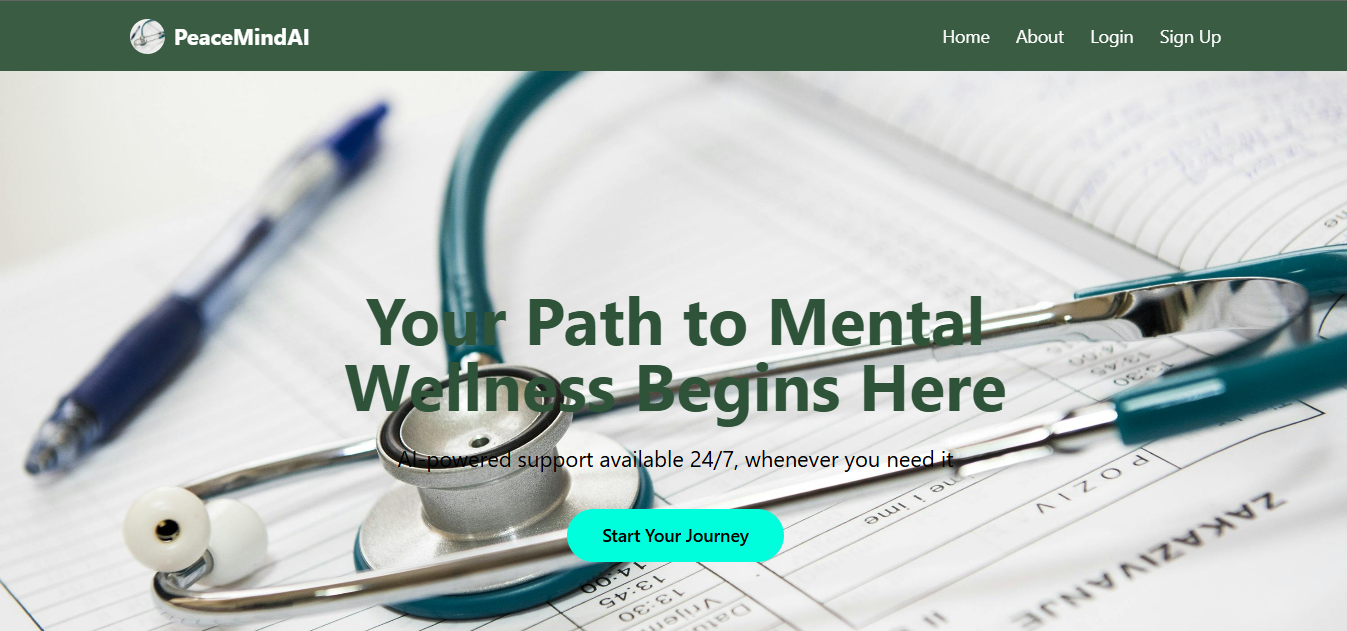
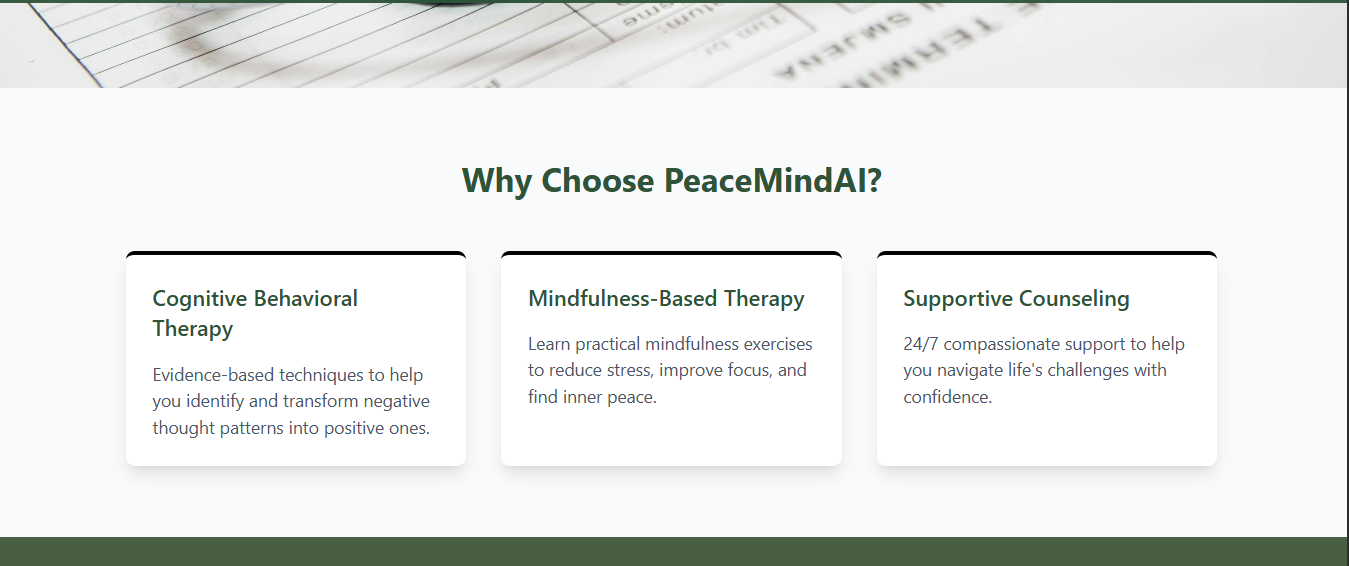
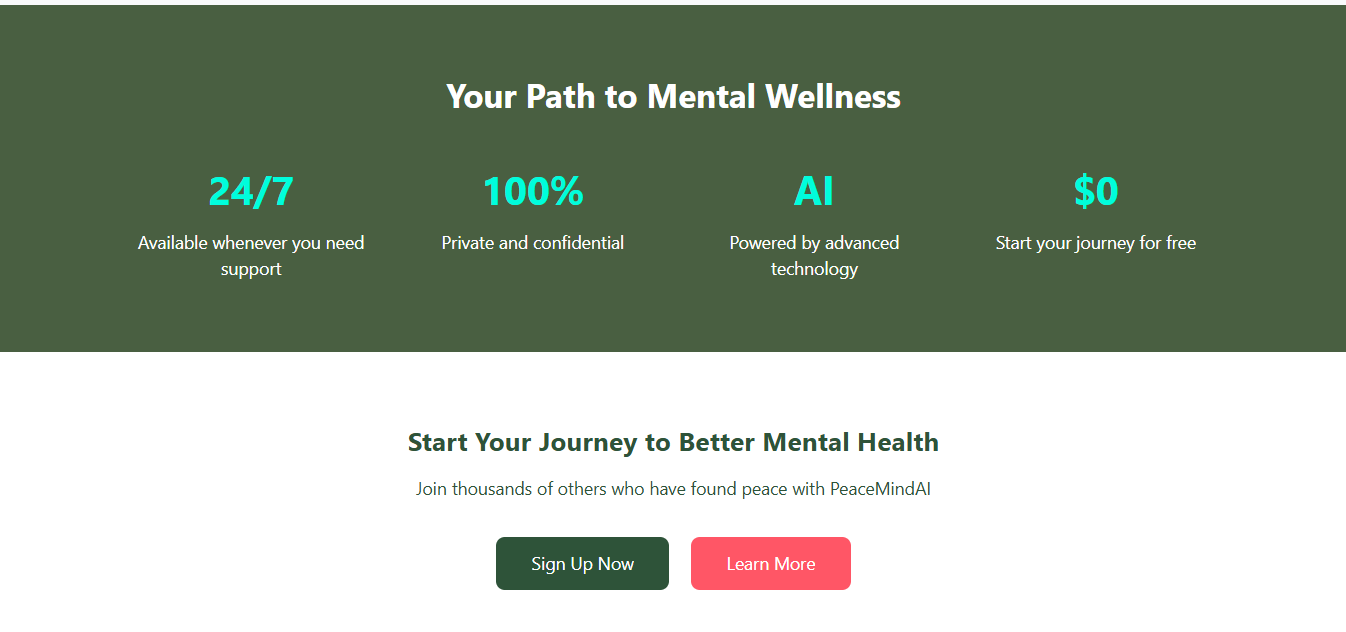
The landing page showcases key features and benefits:
- Hero section with clear value proposition
- Feature highlights including CBT, mindfulness therapy, and supportive counseling
- Benefits section highlighting 24/7 availability, privacy, and AI capabilities
- Clear calls-to-action for signup and learning more
Authentication
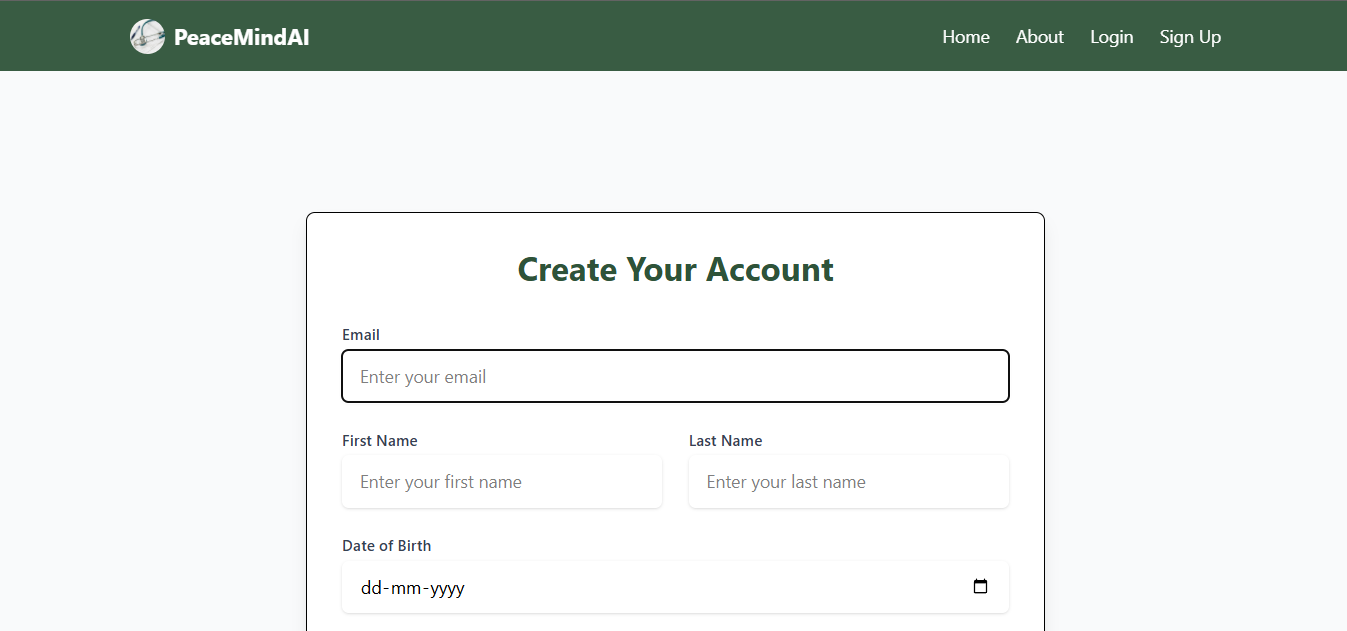
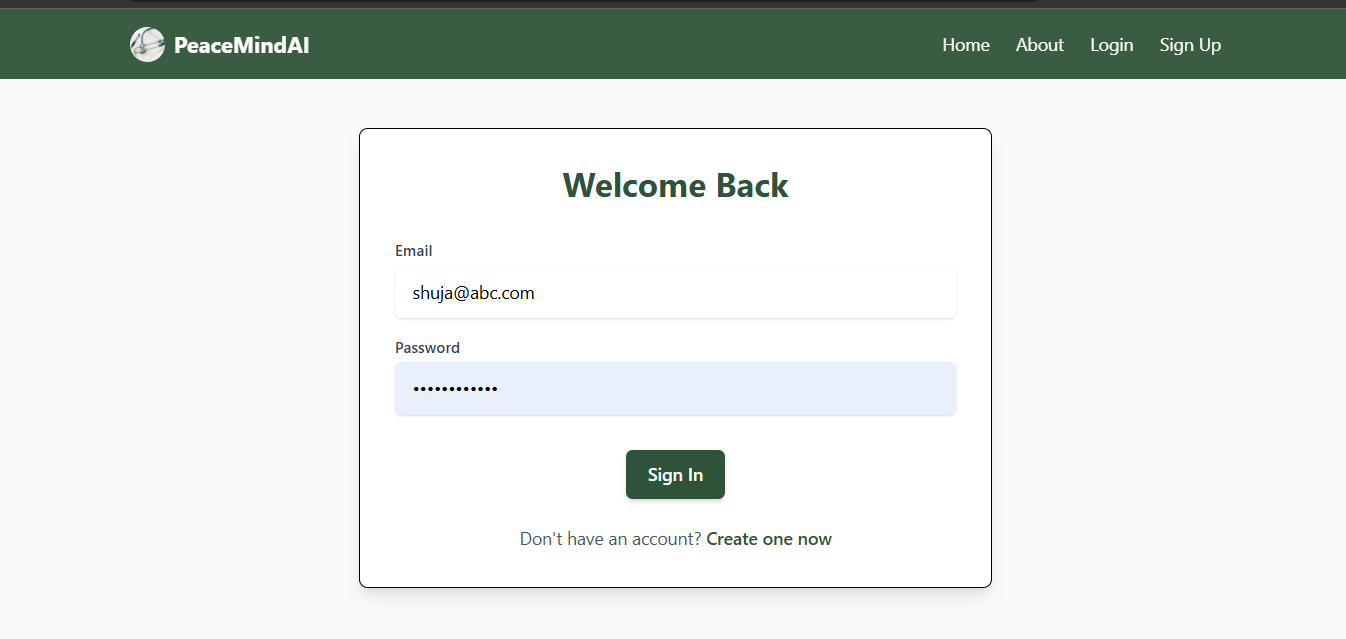
- Secure user registration and login system
- OAuth support for social login (planned feature)
- Password recovery and reset functionality
- Session management for persistent conversations
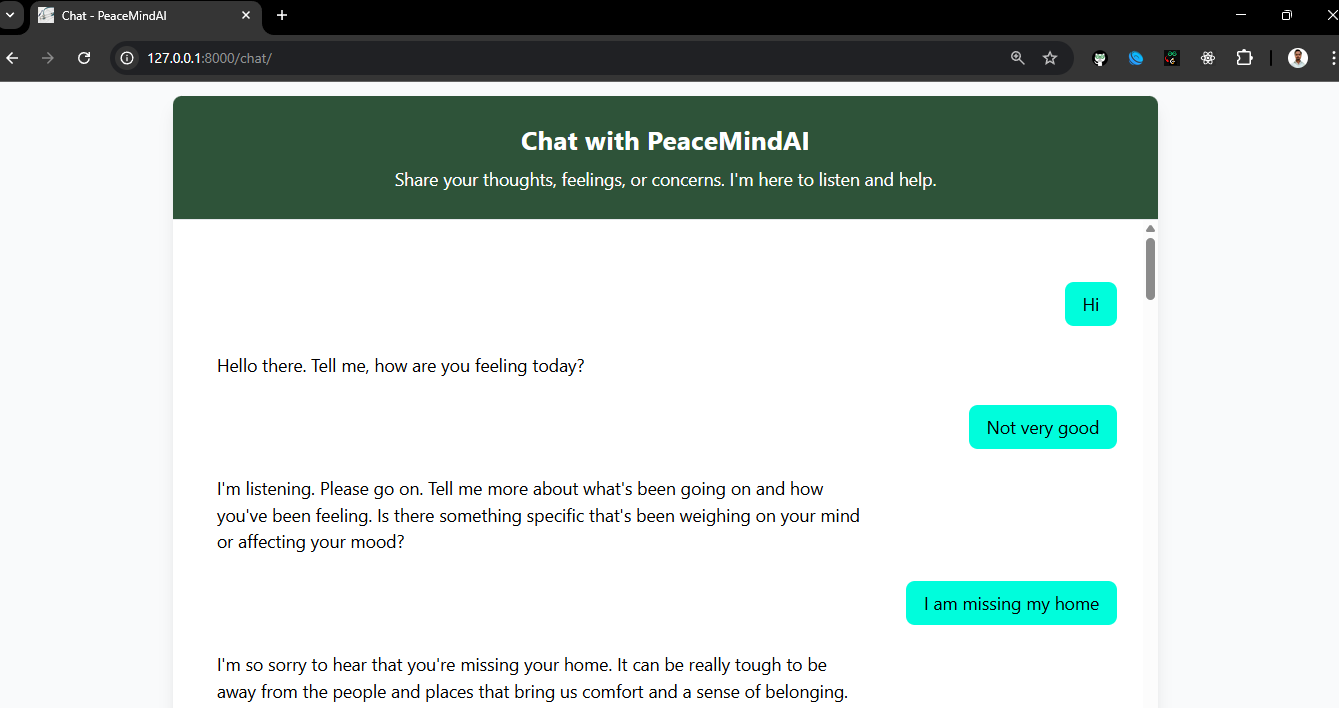
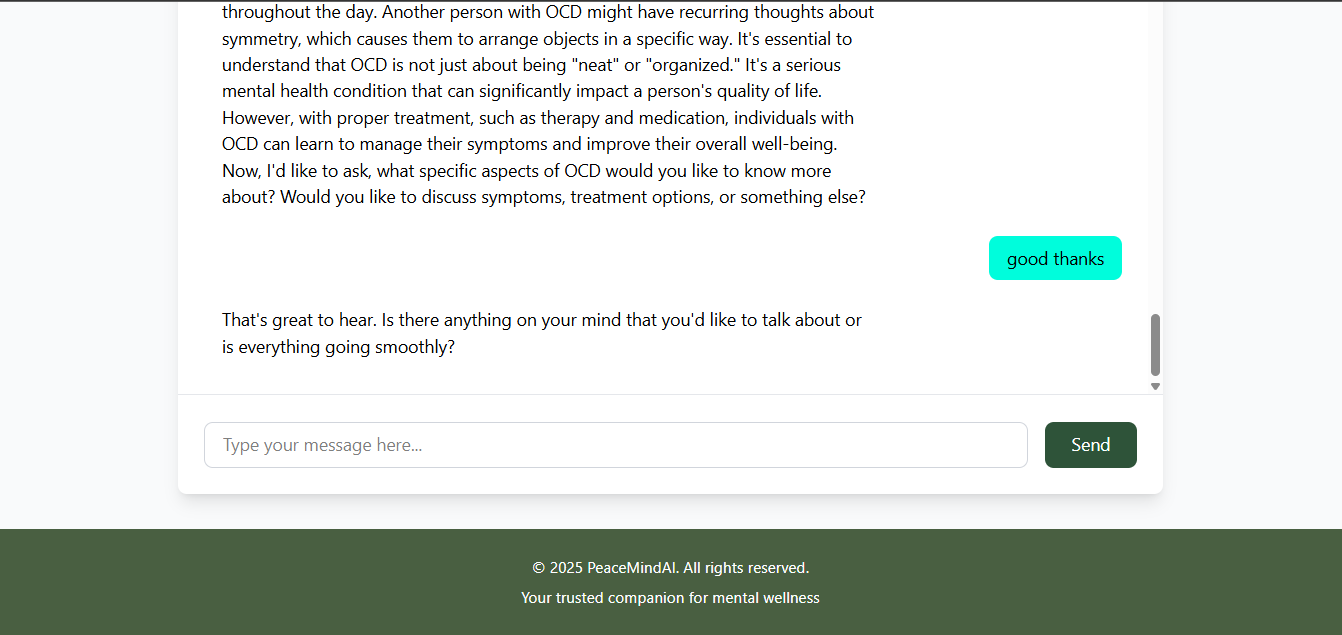
Chat Interface
- Real-time message exchange
- Typing indicators and message status
- Message history preservation
- Markdown support for formatted responses
- Resource linking and recommendations
- Emergency contact information readily available
Therapeutic Features
-
Guided Sessions:
- Structured therapeutic conversations
- Progress tracking and mood monitoring
- Customized exercise recommendations
- Mindfulness and relaxation techniques
-
Resource Library:
- Self-help articles and guides
- Mindfulness exercises
- Coping strategies
- Crisis management resources
-
Progress Tracking:
- Mood tracking functionality
- Session history review
- Progress visualization
- Goal setting and achievement tracking
Design Principles
- Clean, minimalist interface to reduce cognitive load
- Calming color scheme (hunter-green, aquamarine, tea-rose-red)
- Responsive design for all device sizes
- Accessibility compliance
- Intuitive navigation and clear user flows
Development Guidelines
Code Style
- Follow PEP 8 guidelines for Python code
- Use Django’s coding style for templates and models
- Follow BEM methodology for CSS classes
- Maintain consistent indentation (4 spaces for Python)
Best Practices
- Write meaningful commit messages
- Document all functions and classes
- Write unit tests for new features
- Keep functions small and focused
- Use type hints in Python code
- Follow the DRY (Don’t Repeat Yourself) principle
Testing
To run the test suite:
python manage.py test
For coverage report:
coverage run manage.py test
coverage report
Contributing
We welcome contributions to PeaceMindAI! Here’s how you can help:
- Fork the repository
- Create a feature branch (
git checkout -b feature/AmazingFeature) - Commit your changes (
git commit -m 'Add some AmazingFeature') - Push to the branch (
git push origin feature/AmazingFeature) - Open a Pull Request
Areas for Contribution
- Enhanced AI response capabilities
- Additional therapeutic techniques
- UI/UX improvements
- Documentation updates
- Bug fixes and optimizations
- Test coverage improvements
License
This project is licensed under the MIT License - see the LICENSE file for details.
Acknowledgments
- Mental health professionals who provided guidance
- Open-source AI and ML communities
- Contributors and testers
- Django and Python communities
Screenshots
Home Page

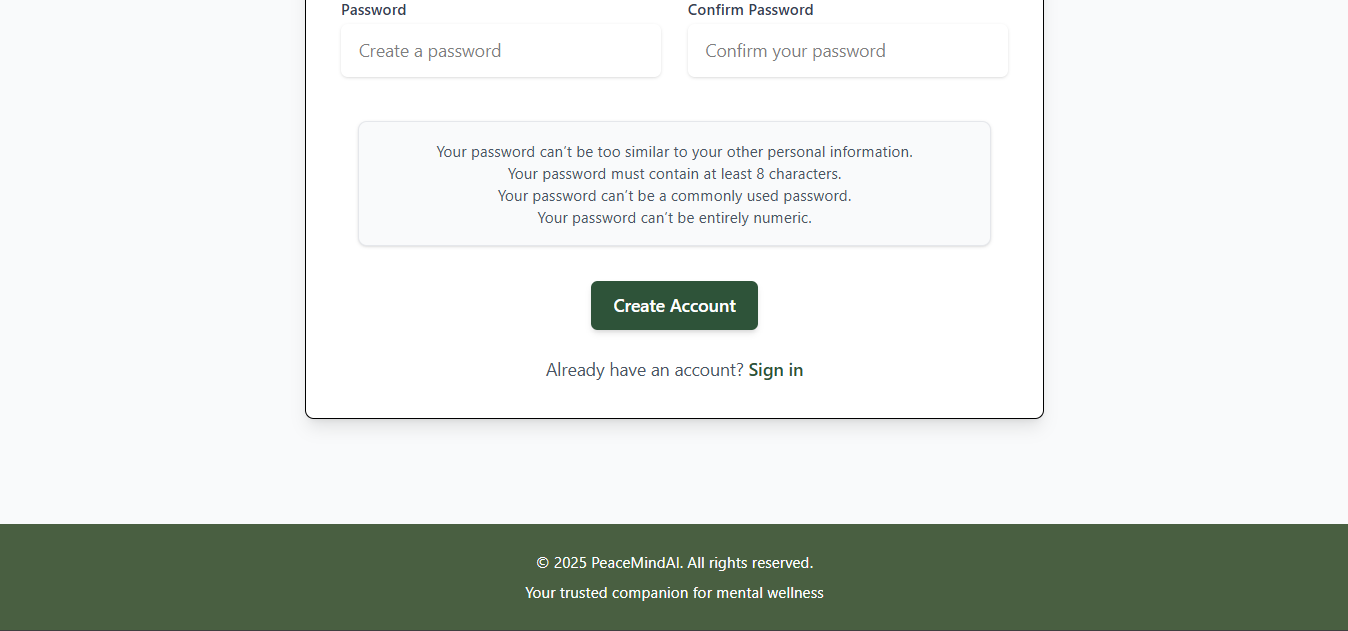
Registeration Page
Login Page
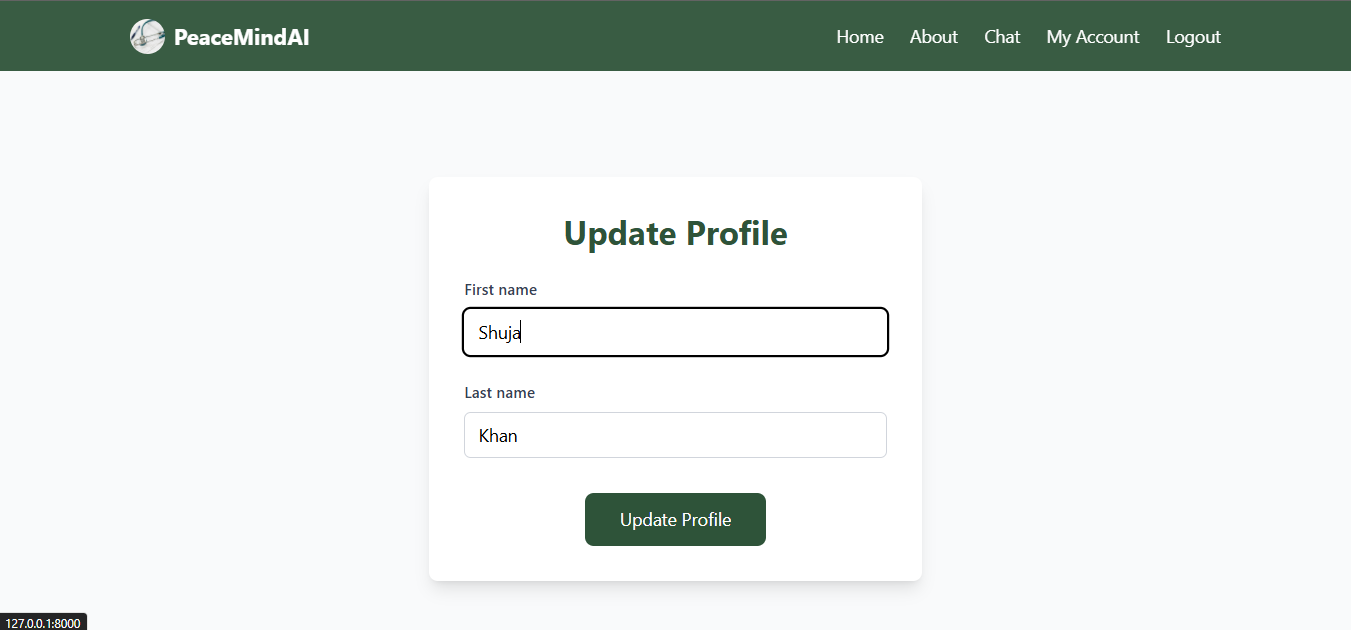
Profile Update
About Page
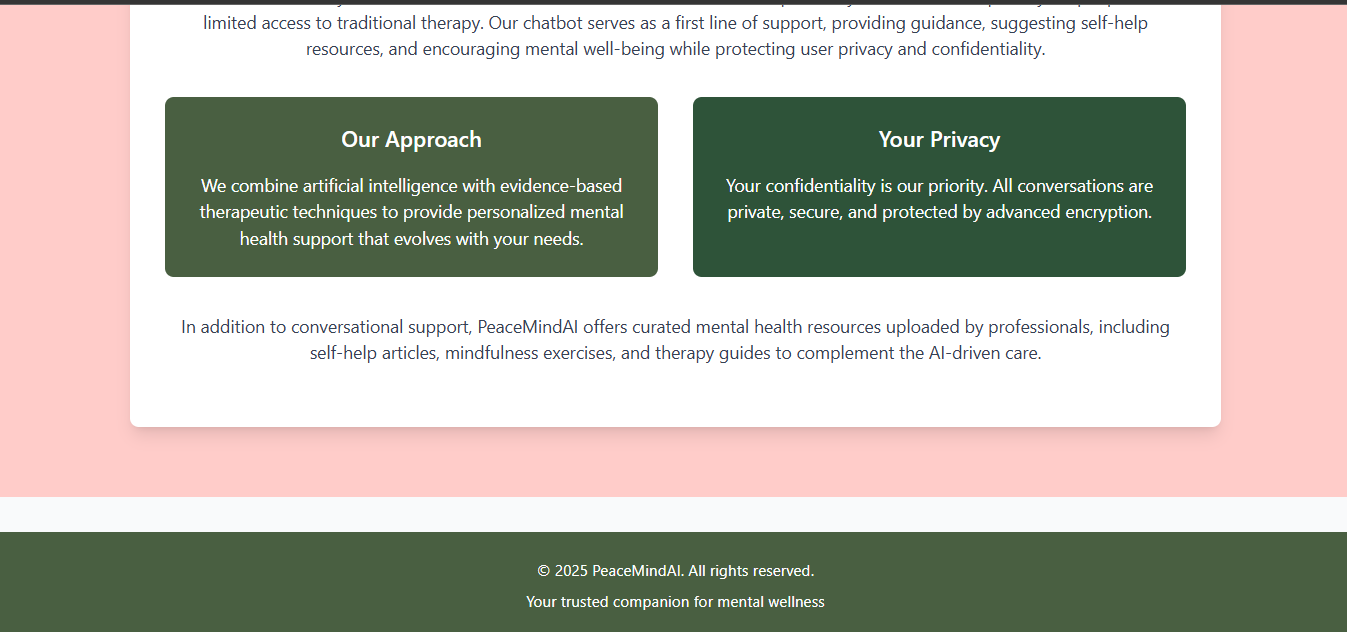
Chat Section
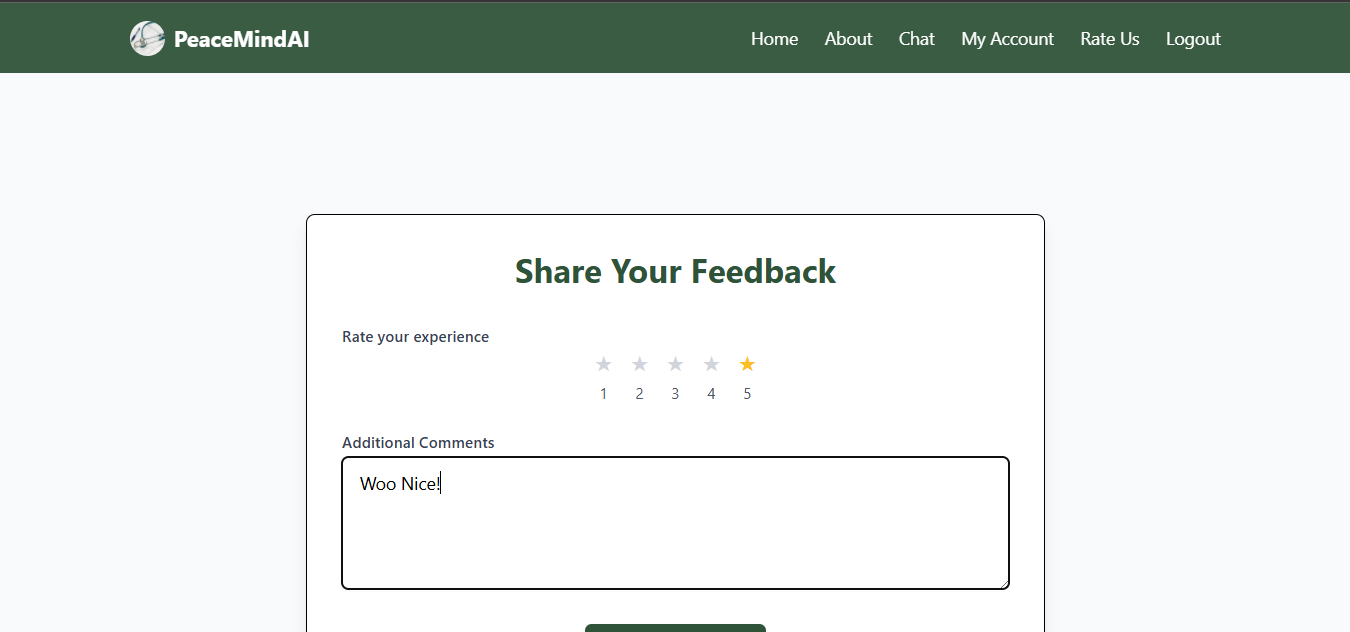
Feedback Section

Support
For support, please:
- Open an issue on GitHub
- Join our Discord community (coming soon)
- Email: suhelkhanca@gmail.com
Disclaimer
PeaceMindAI is not a substitute for professional mental health treatment. If you’re experiencing a mental health crisis, please contact emergency services or a mental health professional immediately.